Students FAQ
I do not find my course on my dashboard
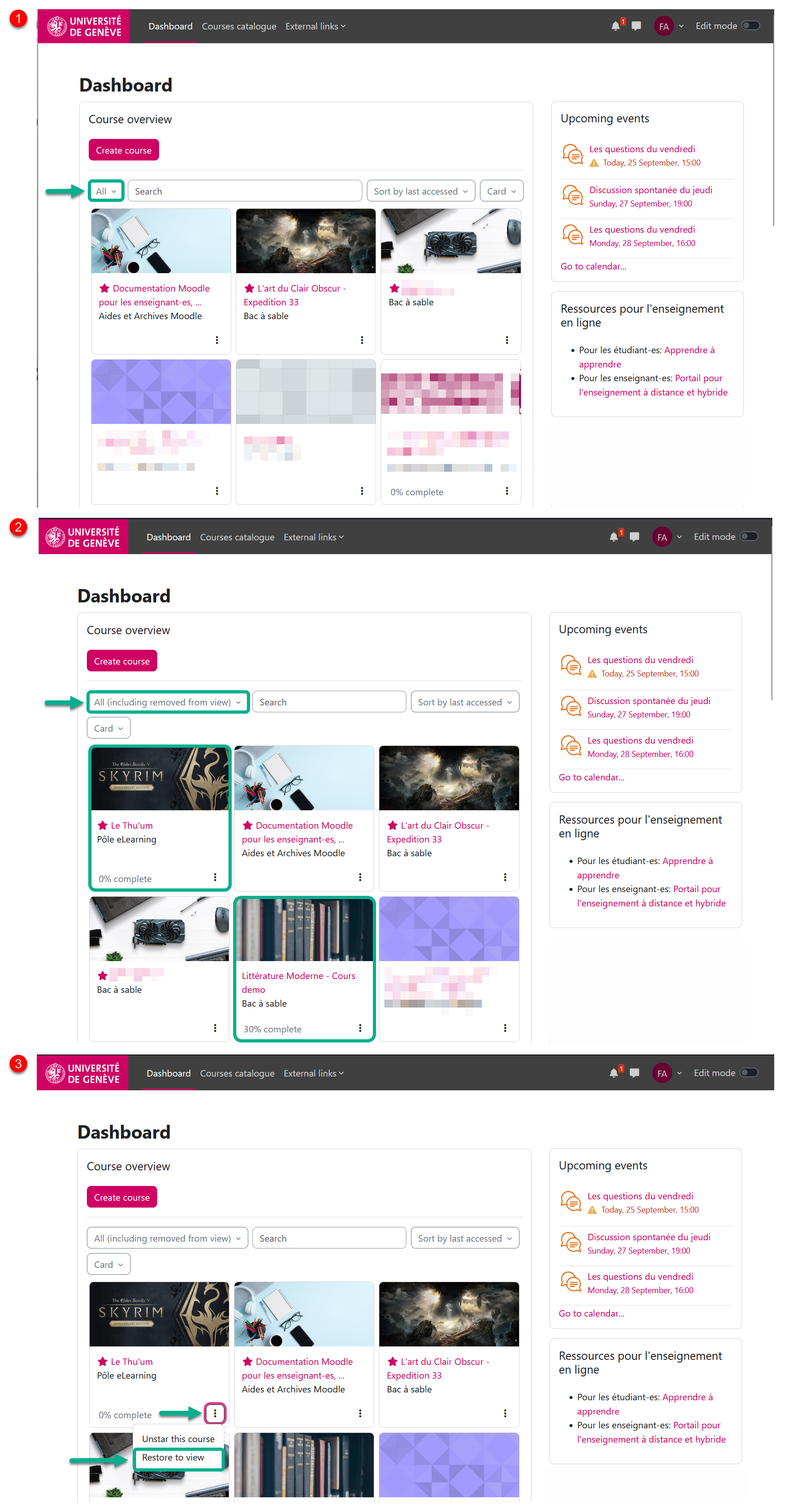
Have you enrolled in your course on Moodle but can't find it on your dashboard?
It's likely the filter under “Course Overview” on your dashboard might be causing the issue.
Instead of filtering by “All,” try selecting “All (including removed from view)”.
If this doesn't solve your problem, please open a ticket with the CAD (helpdesk) including a screenshot of the issue.
Chapter created on : lundi 28 septembre 2026, 10:28, and edited on : lundi 28 septembre 2026, 10:28
Book created on : jeudi 19 juillet 2018, 09:41, and edited on : jeudi 19 juillet 2018, 17:03