Students FAQ
How to connect to Moodle - NONE UNIGE students
How to connect to Moodle as a NONE UNIGE student
As a none UNIGE student, you may take some classes at the UNIGE.
First and foremost, to connect to Moodle, you need your SWITCH EDU-ID account information.
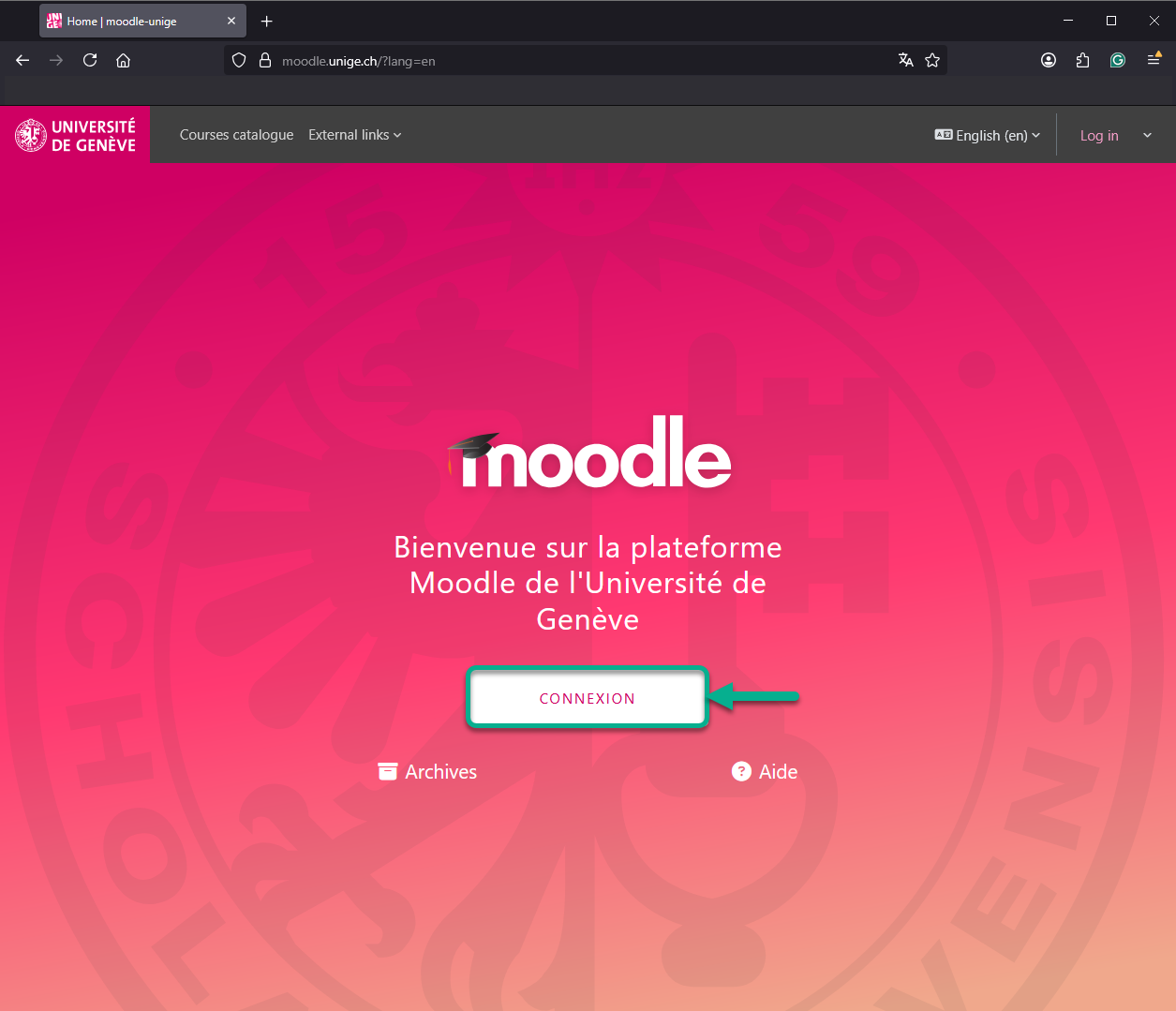
As soon as you have your SWITCH EDU-ID account, go to moodle.unige.ch, and choose "Connexion"
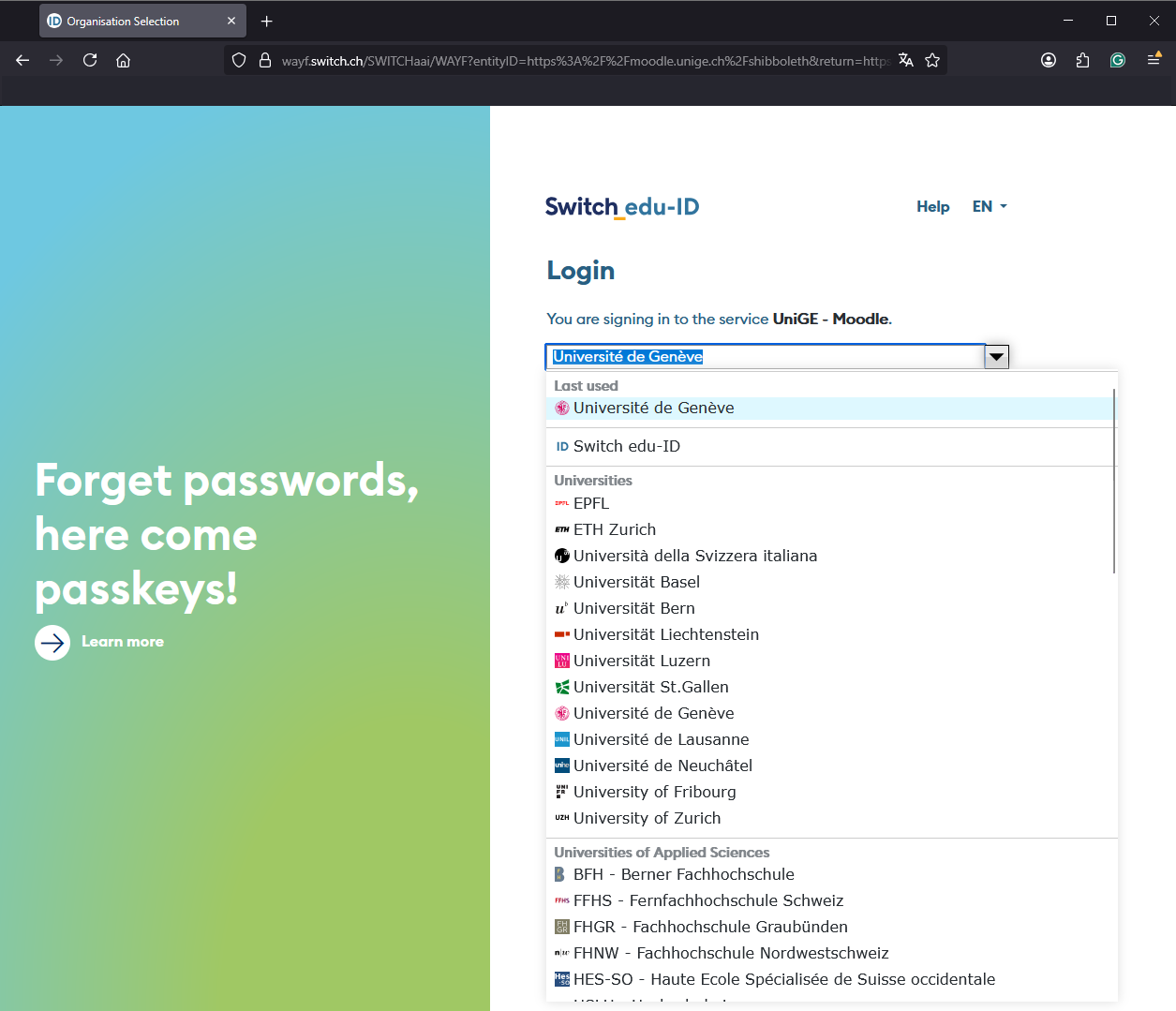
Then, choose your institution. As a none UNIGE student, choose your institution from the list.
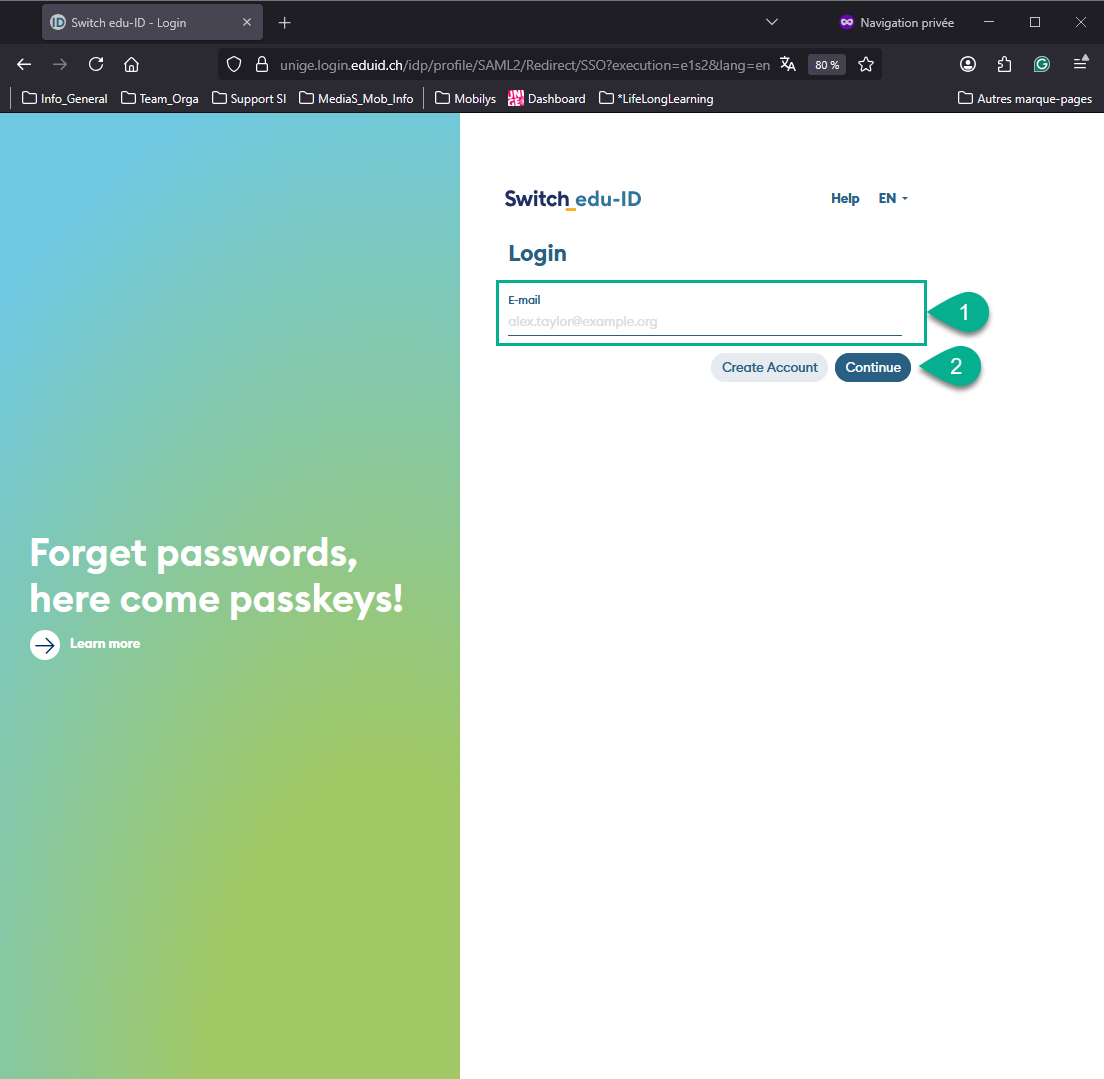
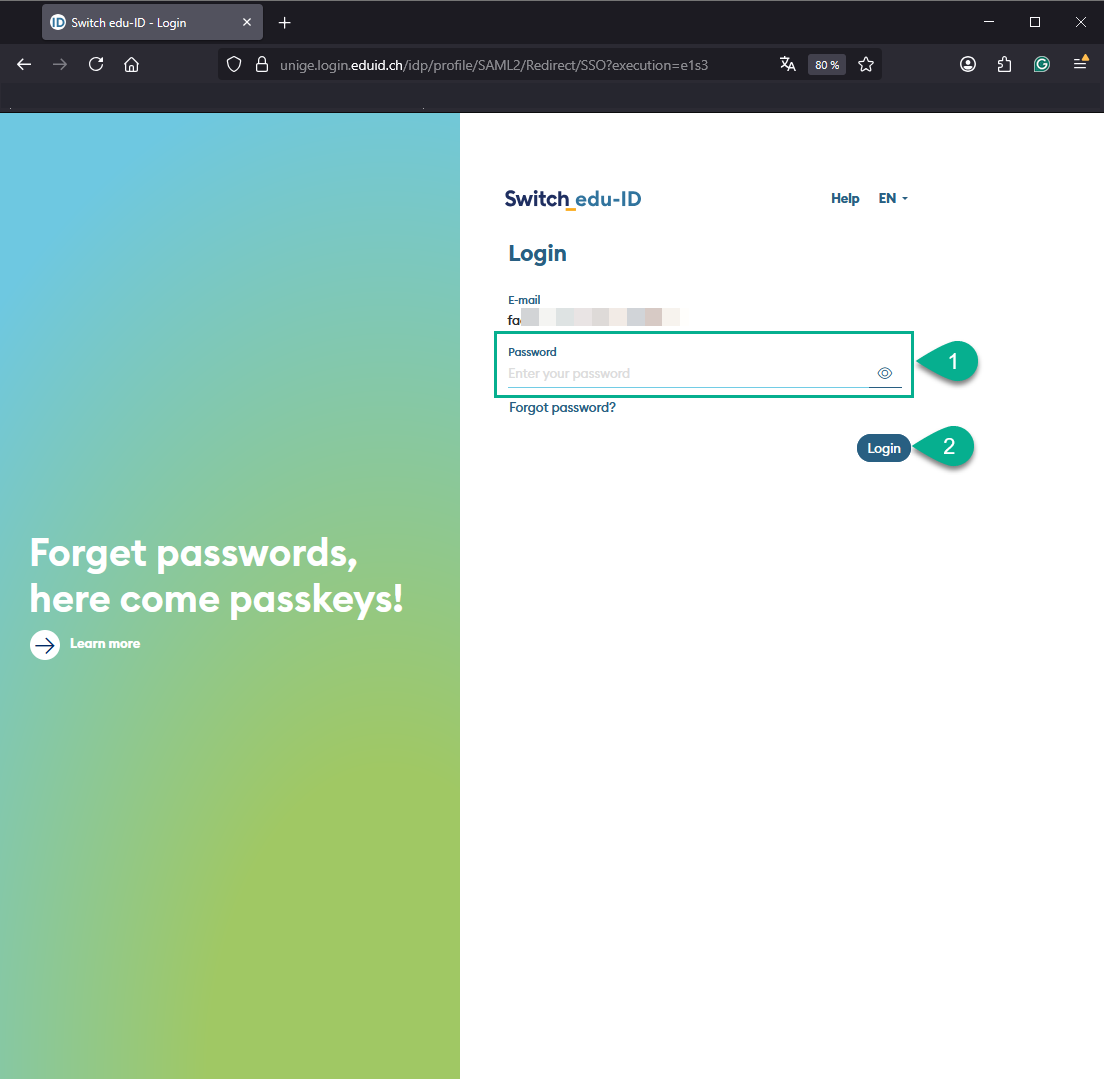
Now, you can use your SWITCH EDU-ID identification; add your email, then your password.
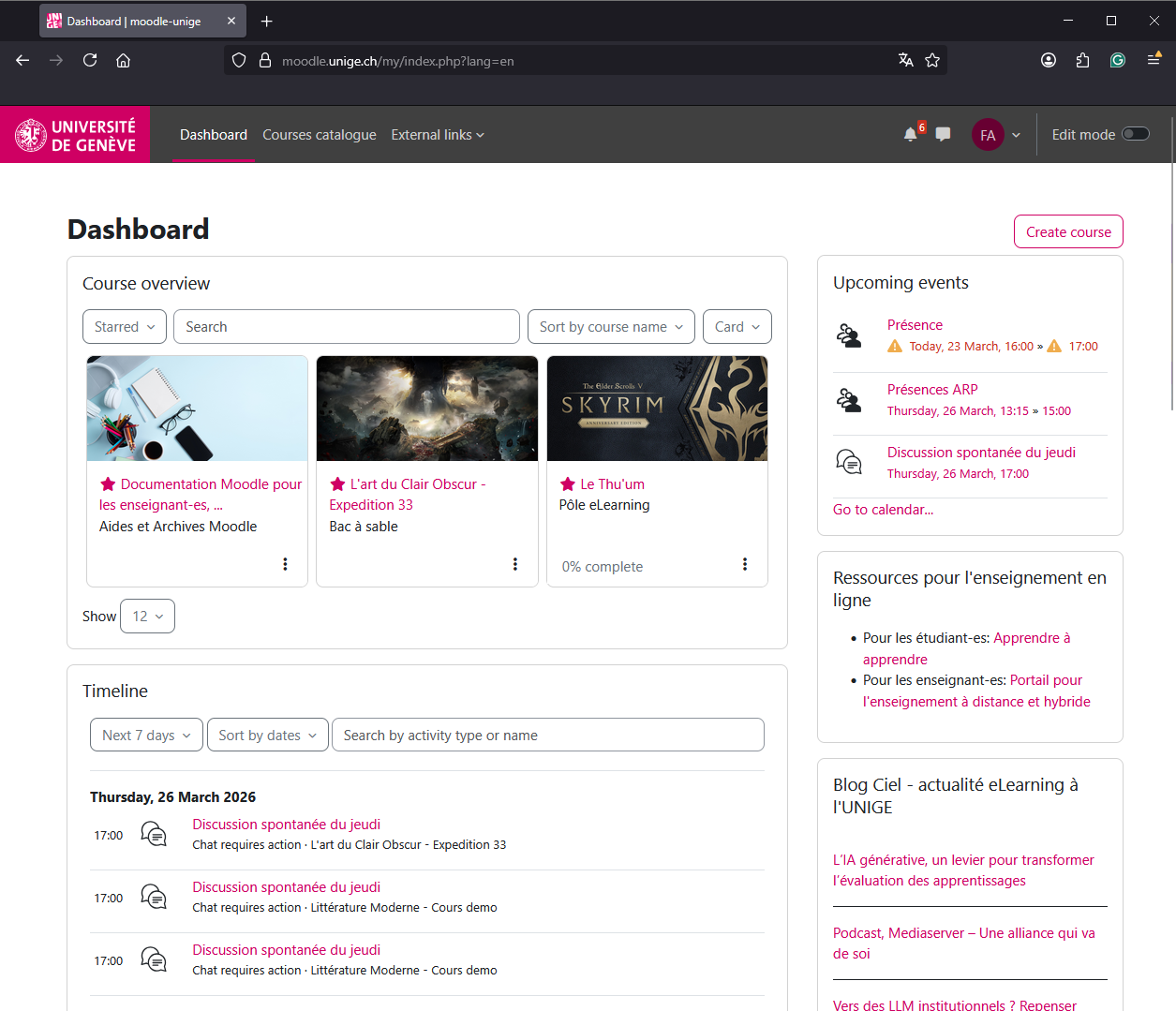
You are now connected to Moodle.
Chapter created on : lunedì, 23 marzo 2026, 16:03, and edited on : lunedì, 23 marzo 2026, 16:06
Book created on : giovedì, 19 luglio 2018, 09:41, and edited on : giovedì, 19 luglio 2018, 17:03